Python Notebooks: the interactive lab that changed data science
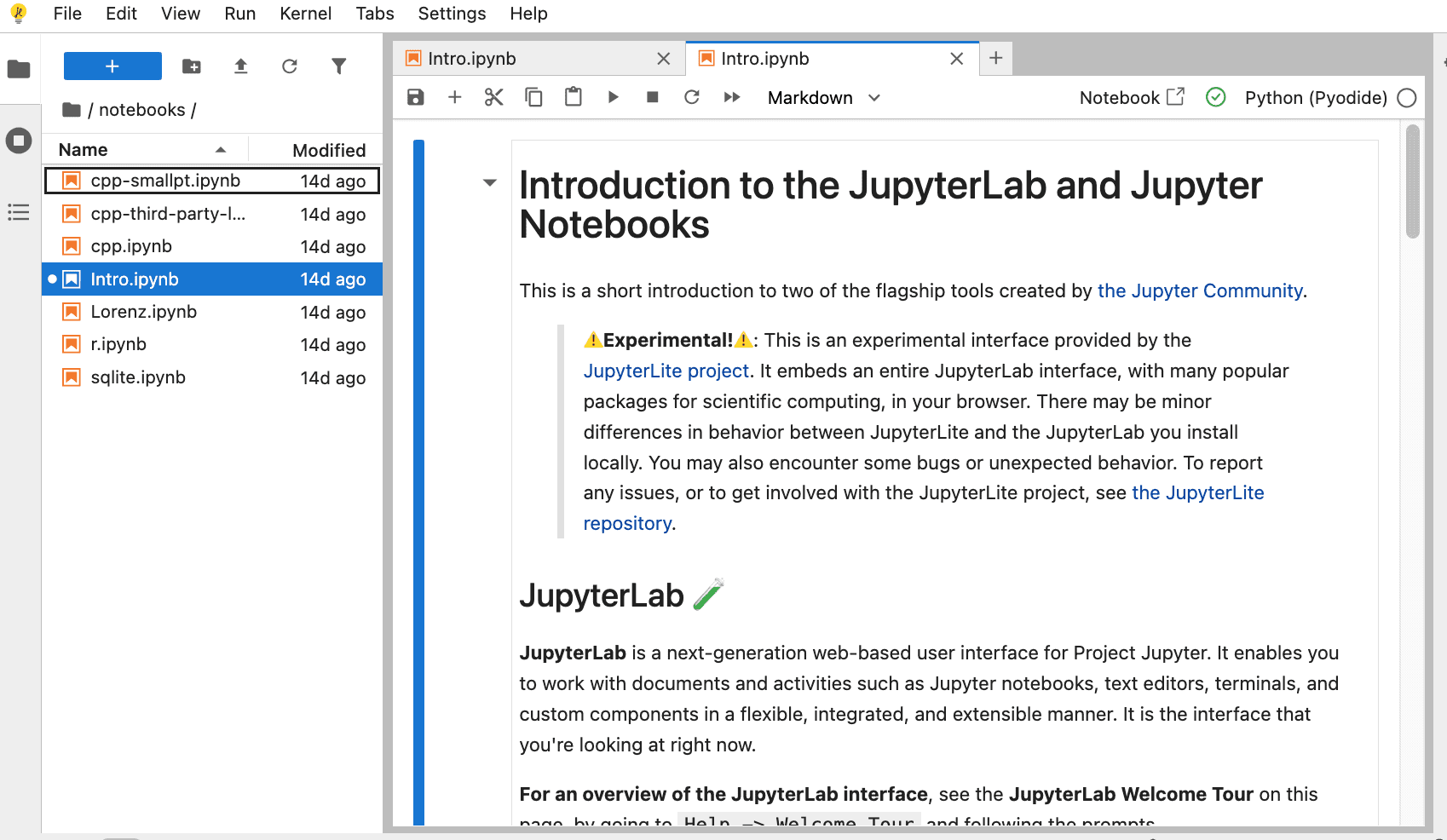
Before notebooks, working with data was fragmented. You wrote a script in an editor, ran it in the terminal, looked at the output, modified the script, and ran it again. Results were saved in separate files. The explanation of what the code did went into a different document. It was a slow process and hard to share.
Python notebooks changed this dynamic. They combine executable code, explanatory text, visualizations, and results in a single document. Analysis becomes interactive, reproducible, and easy to communicate. This article explains what notebooks are, how they emerged, and why they became the standard in data science.
What is a notebook?
A notebook is a document that integrates executable code, rich formatted text, graphics, and execution outputs in one piece. Code is organized into cells that can be run independently. The output appears right below each cell, allowing rapid iteration.
The typical extension for a Python notebook is .ipynb, which stands for IPython Notebook. This file stores both code and outputs in a readable JSON format. Python is the main language, but modern notebooks support R, Julia, Scala, and more than 40 additional languages.
A notebook is not a traditional script. In a script, code runs linearly from start to finish. In a notebook, you can jump between cells, run them in any order, and see results instantly. This turns the notebook into an exploration tool, not just an execution tool.
The origin: IPython
The story begins in 2001. Fernando Pérez was a graduate student at the University of Colorado, Boulder, and he was frustrated with the interactive shell that came with Python. It lacked basic features like command history, autocompletion, and easy debugging.
That is how IPython, Interactive Python, was born. It was an improved shell that transformed the experience of working with Python interactively. Over time, IPython incorporated advanced features like magic commands, customizable profiles, and the ability to run parallel code.
Ten years later, in 2011, the team led by Fernando Pérez, together with Brian Granger and Min Ragan-Kelley, released the first version of IPython Notebook. For the first time, the interactive power of IPython reached a browser based environment. Code, text, and graphics could live together in the same place.
The birth of Jupyter
In 2014 a fundamental shift occurred. IPython had grown significantly and its codebase mixed two different things. On one side was the Python kernel and language specific tools. On the other side was the notebook interface, which was language independent.
The team decided to split them. The notebook part became its own project and was renamed to Jupyter. The name combines the initials of the three scientific languages they wanted to support from the beginning: Julia, Python and R.
IPython continued to exist as the kernel that runs Python code inside Jupyter. The notebook became multilingual. Today Jupyter supports dozens of languages and is maintained by a global open source community.
Google Colab: the notebook in the cloud
In 2017, Google Research launched Google Colaboratory, better known as Google Colab. It was a free cloud based platform for running Jupyter notebooks without needing to install anything locally.
Colab democratized access to advanced tools. It offered free GPUs and TPUs for training machine learning models. It integrated with Google Drive to save and share notebooks easily. Anyone with a browser could start working with Python in seconds.
Today Colab is one of the most used tools in education and rapid prototyping. Its ease of use makes it the ideal entry point for those starting in data science.
The current ecosystem
The world of notebooks has continued to evolve. New tools have appeared that expand the original concept.
JupyterLab is the modern successor to the classic Jupyter Notebook. It offers a multi tab interface, a file explorer, an integrated terminal, and a text editor. It is a complete working environment, closer to a traditional IDE.
Other projects like marimo are exploring reactive notebooks that eliminate hidden state and guarantee reproducibility by default. There are also platforms like Deepnote and Hex that bring notebooks to the cloud with real time collaborative features.
What is the goal of a notebook?
The main goal is to enable narrative computing. A notebook does not just run code. It tells a story. The analyst writes explanations in between the code so that any reader understands the reasoning behind each step.
This approach solves a classic problem. In a traditional script, the code is there but the assumptions, decisions, and interpretations are in the author's head or in separate documents. The notebook integrates everything into a single flow.
Notebooks also aim to reduce friction in exploration. If you want to test an idea, you modify a cell, run it, and see the result instantly. You do not need to restart the whole program or lose variable state. This speeds up the trial and error cycle.
Why are they so useful?
The usefulness of notebooks can be explained by three characteristics.
The first is reproducibility. The notebook contains the code that generated each result. You share the file and someone else can run it and get exactly the same output, as long as they have the same dependencies. This is fundamental in science and research. Papers accompanied by notebooks allow results to be verified, increasing confidence in findings.
The second is communication. Explaining complex analysis with code alone is hard. Explaining it with text alone is imprecise. The notebook lets you show code, output, and explanation in the same place. Visualizations appear right next to the cells that generated them. No need to jump between windows or guess which chart corresponds to which part of the analysis.
The third is education. Teaching programming with notebooks is more effective because students can run examples, modify them, and see the immediate result. The teacher can mix theory, code, and exercises in a single document. Platforms like Google Colab remove the installation barrier, allowing students with modest computers to access professional environments.
Limitations to consider
Not everything is perfect. Notebooks have disadvantages that are important to know.
Reproducibility is a theoretical strength but not always achieved in practice. If cells are run in non linear order, variable state can become confusing. One study found that more than half of public notebooks are not fully executable.
Version control is another problem. The .ipynb format stores outputs in JSON, generating files that are hard to compare in systems like Git. The same cell can produce different outputs each time it runs, even if the code does not change. Libraries like nbdime help but do not fully solve the issue.
For large or production projects, traditional scripts remain more suitable. Notebooks shine in exploration, prototyping, and communication. For robust and maintainable systems, code should be migrated to structured modules and scripts.
The future of notebooks
Evolution continues. Reactive notebooks promise to eliminate the hidden state problem. Real time collaboration tools are turning them into living documents that multiple users can edit simultaneously. Integration with AI assistants is transforming how we write and understand code inside notebooks.
What started as an improved shell in 2001 has become one of the most popular ways to interact with code and data. Millions of people use notebooks daily to learn, research, and build.
The final balance
Python notebooks do not replace traditional scripts. They are a different tool for a different purpose. When you explore data, teach concepts, or communicate results, the notebook is unmatched. When you build robust systems for production, scripts and structured modules remain the best choice.
The real power of the notebook is that it removes the distance between thinking and doing. You write an idea, turn it into code, see the result, and adjust. Everything in the same place. That fluidity is what has made notebooks an essential tool of modern data science.
References
Pérez, F., & Granger, B. E. (2007). IPython: A System for Interactive Scientific Computing. Computing in Science & Engineering, 9(3), 21-29.
Kluyver, T., Ragan-Kelley, B., Pérez, F., Granger, B., Bussonnier, M., Frederic, J., ... & Willing, C. (2016). Jupyter Notebooks – a publishing format for reproducible computational workflows. In F. Loizides & B. Schmidt (Eds.), Positioning and Power in Academic Publishing: Players, Agents and Agendas (pp. 87-90). IOS Press.
Project Jupyter. (2018). Jupyter Notebook Documentation. Read the Docs.
Google Research. (2017). Google Colaboratory. https://colab.research.google.com
Pimentel, J. F., Murta, L., Braganholo, V., & Freire, J. (2019). A large-scale study about quality and reproducibility of Jupyter notebooks. In Proceedings of the 16th International Conference on Mining Software Repositories (pp. 507-517). IEEE Press.
Loading reactions...
Comments (0)
Loading session...
No comments yet. Be the first to comment.