The Hidden Language of the Web: HTTP Requests Explained and the Methods Nobody Teaches You
The Hidden Language of the Web: HTTP Requests Explained and the Methods Nobody Teaches You
Every time you open your browser, like a photo, or send a message, your device is having an invisible conversation with a server somewhere in the world. That conversation happens thanks to the HTTP protocol.
Today, we are going to dive into the core of web architecture: HTTP requests. We will cover what exactly they are, how they work, the most popular methods, and those "rare" methods that almost no one mentions but are vital to the network.
What is an HTTP Request and how does it work?
HTTP stands for HyperText Transfer Protocol. It is the set of rules that defines how messages are formatted and transmitted between a Client (your browser or app) and a Server.
Think of an HTTP request as sending a formal letter in the mail. For the server to understand what you want, your letter must have a very specific structure:
- The URL (The destination): Where you are sending the letter (e.g.,
https://api.website.com/users). - The Method (The intent): What you want the server to do with that letter (e.g., "give me data" or "save this").
- The Headers (The metadata): Extra information like "I speak English," "here is my security token," or "my message format is JSON."
- The Body (The payload): The actual content of your message. (Note: not all requests have a body).
When the server receives this "letter", it processes it and sends back an HTTP Response, which includes a Status Code (like the famous 404 Not Found or 200 OK) and the requested data.
The Main Cast: The Day-to-Day Methods (CRUD)
If you are building a REST API, you will spend 95% of your time using these five methods, which align perfectly with database operations (Create, Read, Update, Delete):
- GET: Used to Read or retrieve data. It is a read-only request and should never modify anything on the server. Example: Loading your news feed.
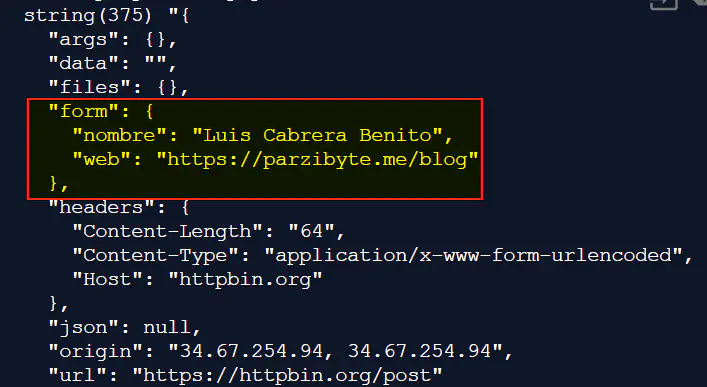
- POST: Used to Create a new resource on the server. The data travels inside the request Body. Example: Registering a new user or publishing a tweet.
- PUT: Used to completely Update a resource. If the resource doesn't exist, it might create it. It replaces the entire entity. Example: Updating your entire user profile.
- PATCH: Used to Modify only a part of a resource. It is more efficient than PUT if you only want to change a small detail. Example: Changing only your profile picture, leaving the rest intact.
- DELETE: As the name implies, used to Remove a resource from the server.
The Dark Side: The Lesser-Known HTTP Methods
The HTTP protocol has highly specific tools that often escape basic tutorials. Knowing them will give you a massive technical edge:
1. OPTIONS (The Pre-flight)
Before your browser makes a complex request to a server on a different domain (something called CORS), it first secretly sends an OPTIONS request. It basically asks the server: "Hey, what methods and configurations am I allowed to use?". If the server gives the green light, the browser sends the actual request.
2. HEAD (Ghost Mode)
It is identical to GET, but with one key difference: the server responds without the Body. It only returns the Headers.
- What is it used for? To check if a file exists, see when it was last modified, or find out its file size before deciding if it's worth downloading (saving a lot of bandwidth).
3. TRACE (The Echo)
Mainly used for diagnostics. It tells the server to return the exact same request it received.
- What is it used for? To see if intermediary servers (like proxies or firewalls) are altering your request along the way. (Note: this is usually disabled in production for security reasons).
4. CONNECT (The Tunnel)
This method is used to ask a proxy server to open a two-way communication tunnel with another destination. It is the magic that allows encrypted traffic (HTTPS) to pass through a regular HTTP proxy.
Conclusion
Understanding HTTP methods means you stop seeing the web as simple "magic" and start understanding it as the well-oiled machine it truly is. The next time you use an API or inspect the "Network" tab in your browser's developer tools, you will know exactly what is happening behind the scenes.
Did you know about the HEAD or OPTIONS methods? Leave a comment with your experience!
Loading reactions...
Comments (0)
Loading session...
No comments yet. Be the first to comment.