Time in Programming: The Most Important Invention of This Century
In 2026, every microsecond counts. Financial applications process transactions in fractions of a second. High‑frequency trading systems measure latency in nanoseconds. Video games render 120 frames per second. Behind all of this lies a fundamental truth: time is the scarcest and most valuable resource in computing.
But why is time management considered by many to be the most important invention in the world of computers in this century? The answer is not a single one, but a set of innovations that, combined, have completely transformed how we build software.
1. Why Milliseconds? The Origin of Time Measurement in Computing
1.1. The Unix Epoch: The Origin of Everything
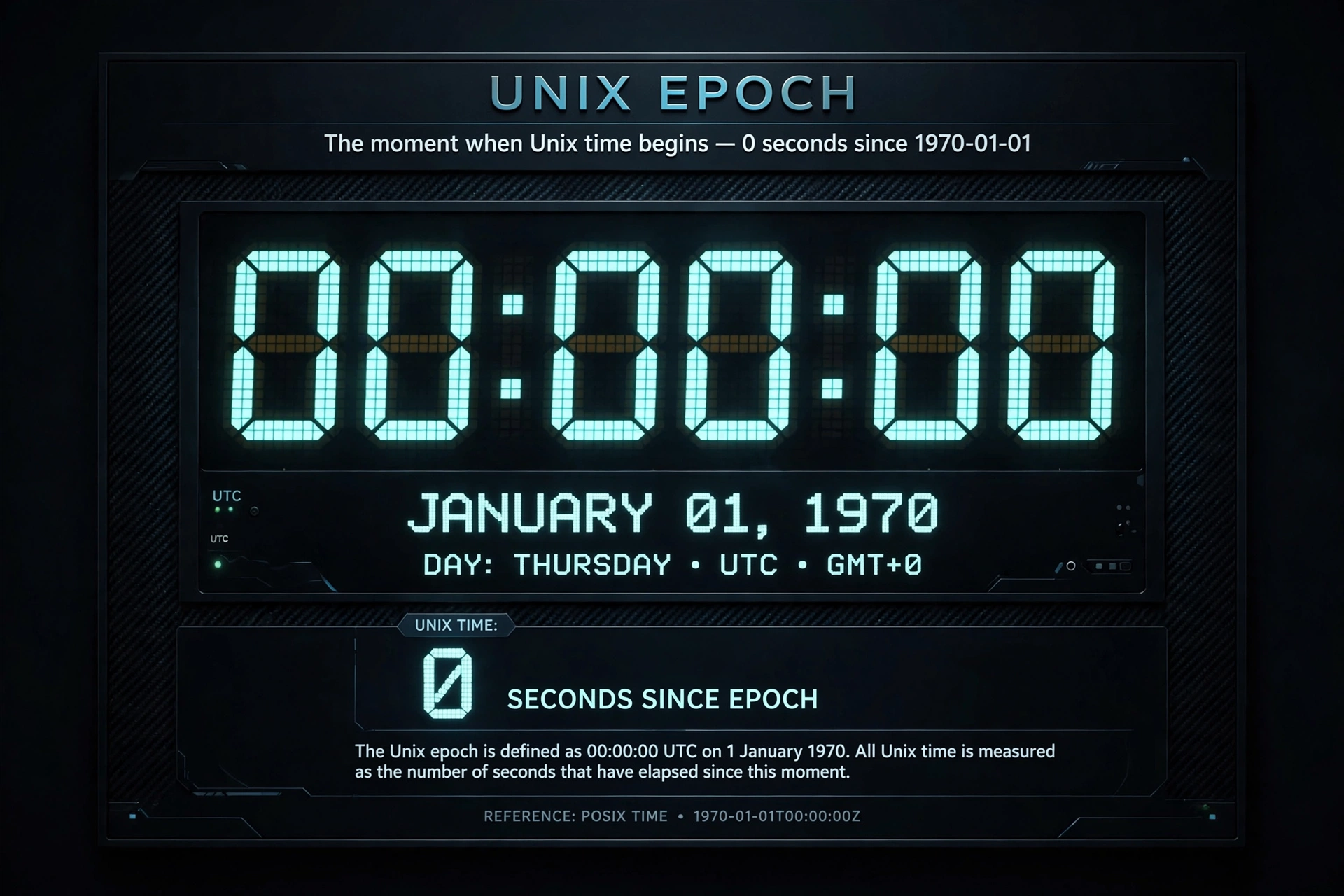
To understand why systems handle time in milliseconds, we must go back to 1970. January 1, 1970 at 00:00:00 UTC is known as the Unix Epoch. It is the reference point from which most operating systems and programming languages count time.
The choice was not arbitrary. Unix, developed at Bell Labs in the late 1960s, needed a simple and universal way to represent time. The solution was to count the seconds elapsed since that moment. But as technology advanced, seconds became insufficient.
1.2. The Evolution of Precision
As computer clock chips became more precise, conventional systems moved from counting seconds to counting milliseconds, microseconds, and even nanoseconds. This evolution was not accidental; it responded to a real need.
Instead of storing complex date formats, systems simply count the number of milliseconds that have elapsed since the epoch. This offers several advantages:
- Simplicity: a single integer represents an exact moment in time
- Fast comparisons: just subtract two numbers to calculate differences
- Natural ordering: larger numbers always represent later times
- Timezone independence: time is stored in UTC and converted only for display
1.3. How Does the Hardware Work?
The heart of time measurement in a computer is a quartz oscillator combined with a counter/divider. This oscillator operates at a predetermined frequency and generates interrupts at known intervals.
The operating system configures a programmable timer that generates an interrupt at a specific frequency (for example, 100, 250, or 1000 times per second). Each time an interrupt occurs, the operating system increments a counter called jiffies, which stores the number of "ticks" since system startup.
flowchart LR
    A[Quartz oscillator] --> B[Counter/divider]
    B --> C[Generates interrupt]
    C --> D[Operating System]
    D --> E[Increments jiffies]
    E --> F[Calculates time]
This mechanism allows the operating system to maintain a precise record of time, even when the computer is running multiple tasks simultaneously.
2. The Operation That Waits: The Art of Making a Program Wait
2.1. Why Do We Need to Wait?
In programming, wait operations (such as sleep or setTimeout) are fundamental for several reasons:
- Synchronization: coordinating the execution of multiple threads or processes
- Throttling: limiting the execution rate to avoid saturating resources
- Timers: executing actions at specific moments or after intervals
- Resource waiting: giving time for I/O operations to complete
2.2. How Wait Operations Work
When a program calls sleep(1000) (wait 1000 milliseconds), what actually happens is:
- The operating system suspends the execution of the thread or process that made the call
- The thread is marked as "sleeping" and removed from the queue of processes ready to execute
- The scheduler assigns the CPU to other processes that are ready
- When the requested time passes, the operating system wakes up the thread and puts it back in the ready queue
It is important to note that sleep does not guarantee absolute precision. The actual sleep time may be shorter if the process receives a signal that interrupts it, or longer due to system load.
3. The Libraries That Changed Everything: java.time, time, and Date
3.1. java.time: The Java Revolution
Before Java 8 (2014), handling dates and times in Java was a nightmare. The java.util.Date class had a problematic design: it was mutable, did not handle time zones correctly, and had obsolete methods.
java.time arrived to solve all these problems. It is the main package for dates, times, instants, and durations. Its classes represent the fundamental date-time concepts: instants, durations, dates, times, time zones, and periods.
The key points of java.time are:
- Immutability: all classes are immutable and thread-safe
- Clear separation:
LocalDatefor dates without time,LocalTimefor times without date,LocalDateTimefor both - Time zones:
ZonedDateTimehandles time zones correctly - Instant: represents a point in time as a numeric timestamp
The Instant class is especially important: it stores a long representing the seconds since the epoch and an int for the nanoseconds. This allows much greater precision than simple milliseconds.
3.2. time in Python: Simplicity and Power
Python's time module is the standard library for handling time. It provides fundamental functions that are the basis for many time‑related operations.
time.time() returns the current time as a floating‑point number in seconds since the epoch. Precision is generally microseconds or better on Unix systems.
time.sleep() suspends the execution of the thread for a given number of seconds, accepting fractional values for greater precision.
time.perf_counter() is a high‑resolution function designed specifically for measuring performance. Unlike time.time(), perf_counter() is a monotonic clock that cannot go backward and is not affected by system clock adjustments. Its reference point is not defined, so it only makes sense to measure differences between calls.
3.3. Date in JavaScript: The Browser Era
In JavaScript, the Date object is the standard way to handle dates and times. Like in other languages, a Date object encapsulates an integer representing the milliseconds elapsed since the epoch (January 1, 1970, UTC).
JavaScript has several ways to get the time:
- Date.now(): returns the current milliseconds since the epoch
- new Date(): creates a Date object with the current date/time
- getTime(): returns the milliseconds of an existing Date object
However, for high‑performance measurements, JavaScript offers performance.now(), which provides much higher resolution (microseconds) and is independent of system clock adjustments.
// High‑precision execution time measurement
const start = performance.now();
// ... code to measure ...
const end = performance.now();
console.log(`Execution time: ${end - start} milliseconds`);
4. Why Is This Invention the Most Important of the Century?
4.1. The Perfect Synchronization of the Internet
Without precise time management, the Internet as we know it would not exist. Network protocols, distributed database synchronization, high‑frequency trading systems, real‑time video streaming: all depend on accurate time measurement.
4.2. The Rise of Real‑Time Computing
Real‑time systems, where tasks must be completed within strict deadlines, are fundamental in applications such as:
- Air traffic control
- ABS braking systems in automobiles
- Medical devices
- Industrial robotics
- Process control systems
All of these systems depend on precise time management.
4.3. The Database and Consistency Revolution
Modern databases use timestamps to ensure consistency in distributed systems. Timestamps allow:
- Ordering events in distributed systems
- Implementing optimistic concurrency control
- Tracking changes and auditing
- Synchronizing replicas in distributed databases
4.4. The Evolution of Measurement: From Seconds to Nanoseconds
What began as seconds in the Unix epoch, then milliseconds in JavaScript and Java, today reaches nanoseconds in high‑frequency systems. This evolution has enabled:
- Financial transaction processing in microseconds
- Virtual reality with imperceptible latency
- Artificial intelligence with almost instantaneous inference times
5. Time as a Resource: The Philosophy of Time Management
In operating systems, time is managed as a unique resource: it cannot be accumulated, cached, or stored. This characteristic makes it fundamentally different from other resources like memory or storage.
The operating system scheduler is the component that manages time and its relationship with other resources. Its job is to distribute CPU time among all running processes, ensuring that each receives a fair share.
In the 1980s, as a Microsoft veteran recalled, "every Microsoft engineer received a stopwatch" and everything was measured to ensure acceptable performance. From 1980 to 2000, roughly half of software engineering consisted of managing resource usage (clock time, disk, and RAM).
6. Summary: The Keys to Time Management
| Aspect | Explanation |
|---|---|
| Unix Epoch | January 1, 1970, 00:00:00 UTC. Universal reference point |
| Milliseconds | Standard unit in JavaScript, Java, and many systems |
| sleep / setTimeout | Operations that suspend execution for a given time |
| java.time | Modern, immutable API for date and time handling in Java |
| time (Python) | Standard module with high‑precision functions |
| Date (JavaScript) | Object that encapsulates milliseconds since the epoch |
7. The Future: Quantum Time and Beyond
Time management in programming continues to evolve. With the advent of quantum computing and the need for synchronization in globally distributed systems, the precision and reliability of time measurement will become even more critical.
What began as a simple second counter in 1970 has become the foundation upon which almost all modern software is built. And that, without a doubt, is one of the most important inventions of this century.
References
Official Documentation
- Oracle. (2026). Package java.time. Java Platform, Standard Edition Java API Reference. https://docs.oracle.com
- Python Software Foundation. (2026). time — Time access and conversions. Python 3.14 Documentation. https://docs.python.org
- MDN Web Docs. (2026). Date - JavaScript. https://developer.mozilla.org
Technical Articles and Analysis
- Stack Overflow. (2026). Why is 1/1/1970 the "epoch time"?. https://stackoverflow.com
- Real Python. (2026, June 1). Python sleep(): How to Add Time Delays to Your Code. https://realpython.com
- MDN Web Docs. (2026). Performance.now(). https://developer.mozilla.org
Operating System Concepts
- Carleton University. (2010). COMP 3000 Essay 2 2010 Question 11. https://homeostasis.scs.carleton.ca
- Kennesaw State University. (n.d.). OS Time Management CS 3530 Operating Systems. https://science.kennesaw.edu
Loading reactions...
Comments (0)
Loading session...
No comments yet. Be the first to comment.